Can I Upload My Own Clothes to the Pastely Catalog?
Building your personal digital closet is one of Pastely's most powerful features, allowing you to blend your real-world style with new discoveries. To bring your physical garments into the virtual space, all you need is a clear photograph of the item. For the AI to generate the most realistic try-on results, we highly recommend taking a picture of your clothing laid flat on a plain, contrasting background or hung cleanly on a hanger. Make sure the lighting is bright and even so the true colors and textures are visible.
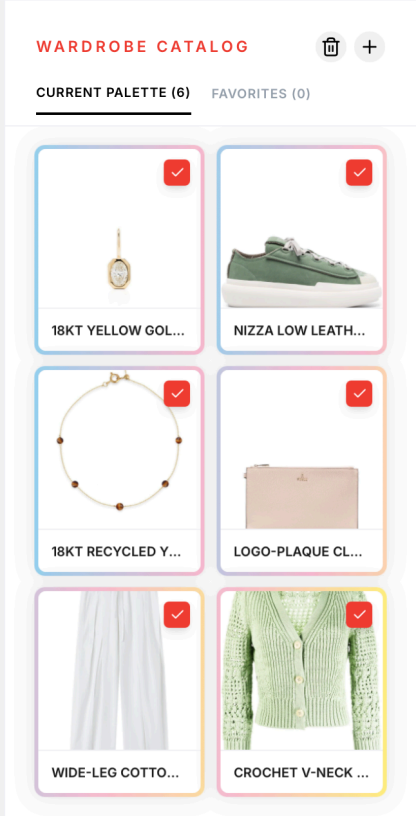
Once your photo is ready, navigate to the Wardrobe Catalog located on the right side of the Pastely Editor. Look for the upload icon + next to the trash icon and select your image. As soon as the upload is complete, Pastely’s intelligent background removal tool automatically isolates the garment, stripping away the bed, floor, or wall behind it.
Within seconds, your personal clothing item will appear directly in your catalog, ready to be selected. You can then add it to your Current Palette and pair it with anything else—whether that’s another item you own or a brand-new piece you are considering buying from our curated collections. This seamless integration lets you visualize endless outfit combinations and plan your look perfectly before you even open your physical closet.